Follow a series or a cast member.
Browse more in a film series, check for missing films, or open a cast biography and the titles you already have.
Standalone for Zidoo
Browse your Zidoo Home Theater films and TV series in a new interface, with Spotlight, shelves and collections you can build and arrange yourself.
Your cinema, on your Zidoo
Your Home Theater library becomes a Home of your own: Spotlight, film and TV shelves, trailers and collections. Choose what to show and the order it belongs in.
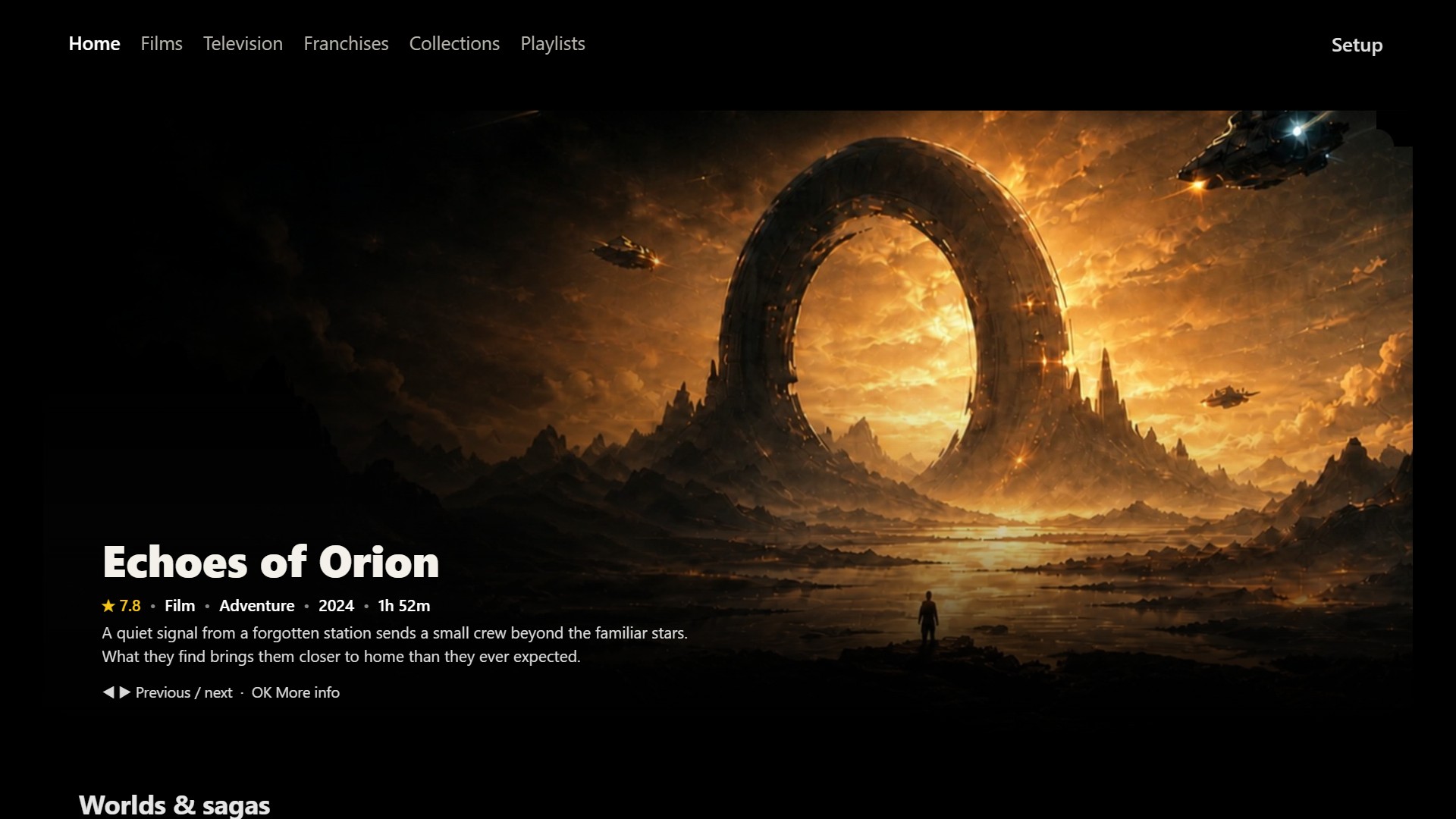
Build your worlds
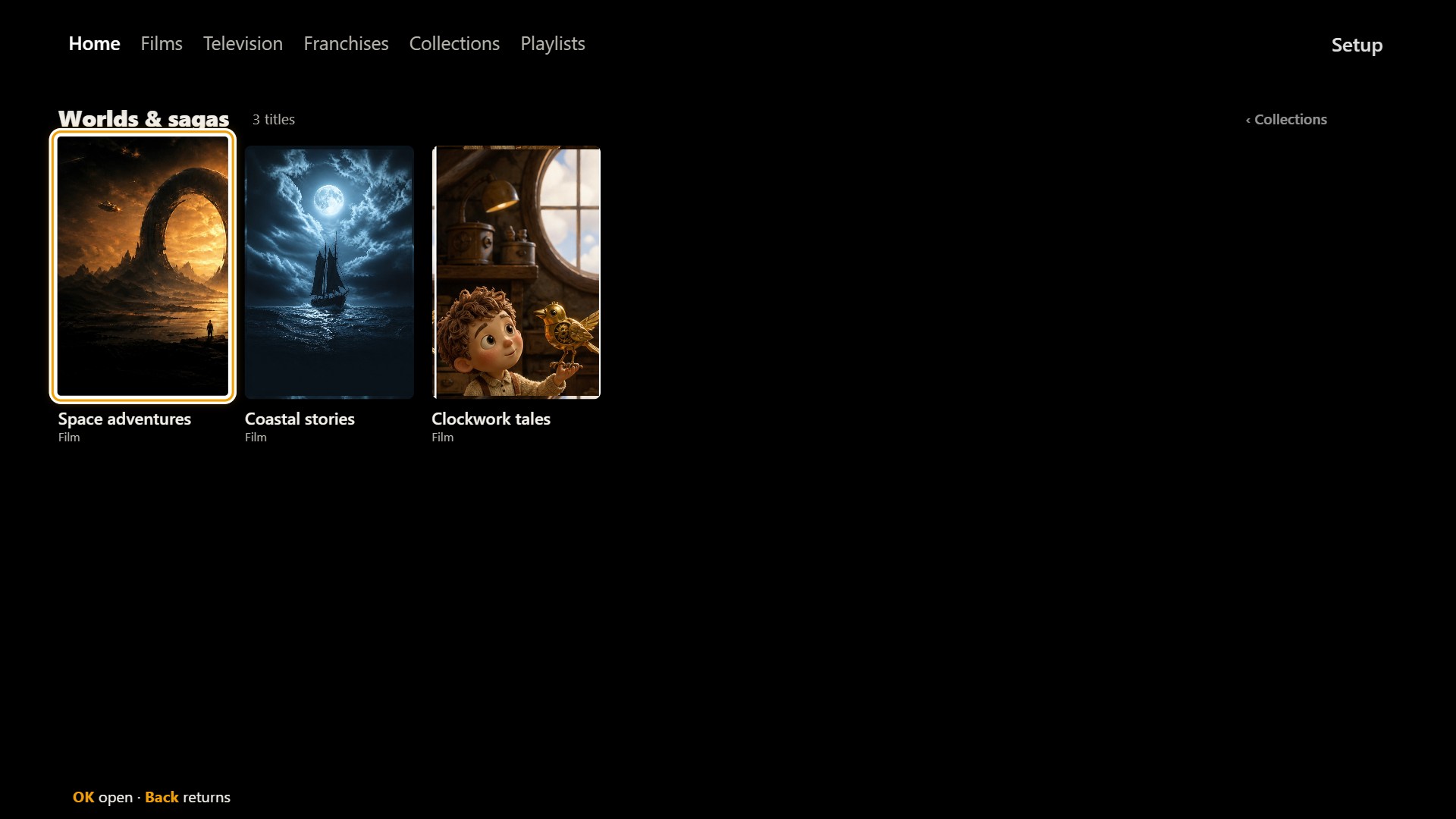
Make hand-picked, Suggested or smart collections from the films and shows you own. Nested collections hold your collections and Home Theater franchises together.
Use genres, people, years, ratings and film formats to make a collection of your own. A smart build works in the background while the app stays open; matches depend on the metadata in your library.
Browse more in a film series, check for missing films, or open a cast biography and the titles you already have.
Zinedock uses the box’s own player for your local films and episodes. Local trailers can preview your collection on Home and Info.
Arrange Home, choose your layout and build collections on a computer or phone on your home network. Or keep using the remote. See browser setup ↗
01
For Zidoo players with an existing Home Theater library. Zinedock is made only for Zidoo players and works only on a Zidoo.
The original Zidoo Z9X
The first Z9X, sold as the "Z9X 4K media player". It shows its model as plain "Z9X", runs Android 9 and has 2 GB of memory.
One download only. Do not install the Playback Helper: Zinedock Z9X plays through the Zidoo's own player and does not use it.
It has its own native app, built for that box, with the same Home, trailers, collections and Setup. Zinedock Z9X 1.0.8 updates itself from Setup → App updates. You can set it up from a computer, with a setup file for backup and restore. Online person searches (producers) are not in it yet.
New in 1.0.8: updated posters, Films and Television library views, improved remote navigation, and a fix for Continue restarting films.
The Zidoo Z9X 8K
The newer box. Its name says "8K", it runs Android 11 and has 6 GB of memory.
Install the Kinostrata Playback Helper first, then Zinedock.
Open Kinostrata Playback Helper (called CineDock Playback Helper on older installs) once and enable Display over other apps (overlay permission).
Open Zinedock. Your Home Theater library is picked up automatically.
Keep the helper installed; Kinostrata Zidoo also uses it.
Films and Television: Poster wall, Quick info or List. Includes updated posters and backdrops, scrolling titles, and improved navigation and trailer display.
New in 1.2.5: Favourites (the heart on a film or series page), seasonal rows for Valentine's, Easter, Halloween, Thanksgiving and Christmas, a simpler Setup → Layout with Spotlight and Look pages, and collections that show a film only with its partner.
Not sure which you have? The original shows its model as plain "Z9X" and uses the Realtek RTD1619DR chip; the Z9X 8K says so in its name and uses the Amlogic S928X-K.
Use Kinostrata Zidoo to browse Plex, Emby or Jellyfin libraries on your Zidoo.
02
Film, TV and mixed collections each have their own list in Setup → Collections. Suggested collections are ready-made from film and TV trivia and shared universes, matched to what you own. Or pick titles yourself, or build a smart collection: smart film collections combine genres, people, years, ratings, UHD/HD/SD and HDR formats; smart TV collections use genre, year, rating, 4K and HDR.
Prefer a computer to the remote? Set it up from your computer - build collections, arrange Home and choose your layout in a browser (Zinedock 1.1.0 and later, and Zinedock Z9X 1.0.7 and later).
Collection builds run in the background while the app remains open. A completion message tells you when the collection is ready. Arrange Home rows works like Kinostrata: OK shows or hides a row, ▶ picks it up to move it, and Back saves.
03
TMDB is built into Zinedock 1.2.1 and later: cast, biographies, posters your Zidoo lacks, missing films and person searches work with nothing to set up. Your own TMDB key is optional and is used instead if you enter one. Zinedock Z9X, for the original Z9X, needs your own key for these.
The local pairing page is temporary and uses unencrypted HTTP: use only your trusted home network. Never include your key in a screenshot or support report.
04
Use local trailer files beside the film, for example Film.mkv and Film-trailer.mp4. In Setup → Trailers, choose Off, Silent or With sound separately for each screen.
Online trailer retrieval is not provided. Some NFS trailer paths remain unverified; a film playing successfully does not prove its trailer is accessible. Check the trailer in Home Theater as well.
05
The public app checks for updates when opened, at most once a day. Setup → Check for updates checks immediately. Choose Download, then Install, and approve Android's installer. Installation is not silent.
If Android asks, allow installation from Zinedock. Required helper updates are offered first; return to Zinedock and check again afterwards. Install over an existing public version to retain settings and collections — do not uninstall it or clear its data.
You can also download the latest APKs from this page and install them over your existing public apps.
Use Setup → Backup & restore to save a copy of your settings and collections.
06
Zinedock is an independent interface for your own library. It does not include or download films or television shows, and is not affiliated with Zidoo or TMDB. Artwork and metadata come from your Home Theater library and its providers.
Current release: Zinedock 1.2.5, Playback Helper 1.6.6. For the original Z9X: Zinedock Z9X 1.0.8.
For a problem report, include the Zidoo model, firmware, Zinedock and helper versions, and the steps that led to it. Never include passwords, API keys or private network credentials.
Report a Zinedock problem