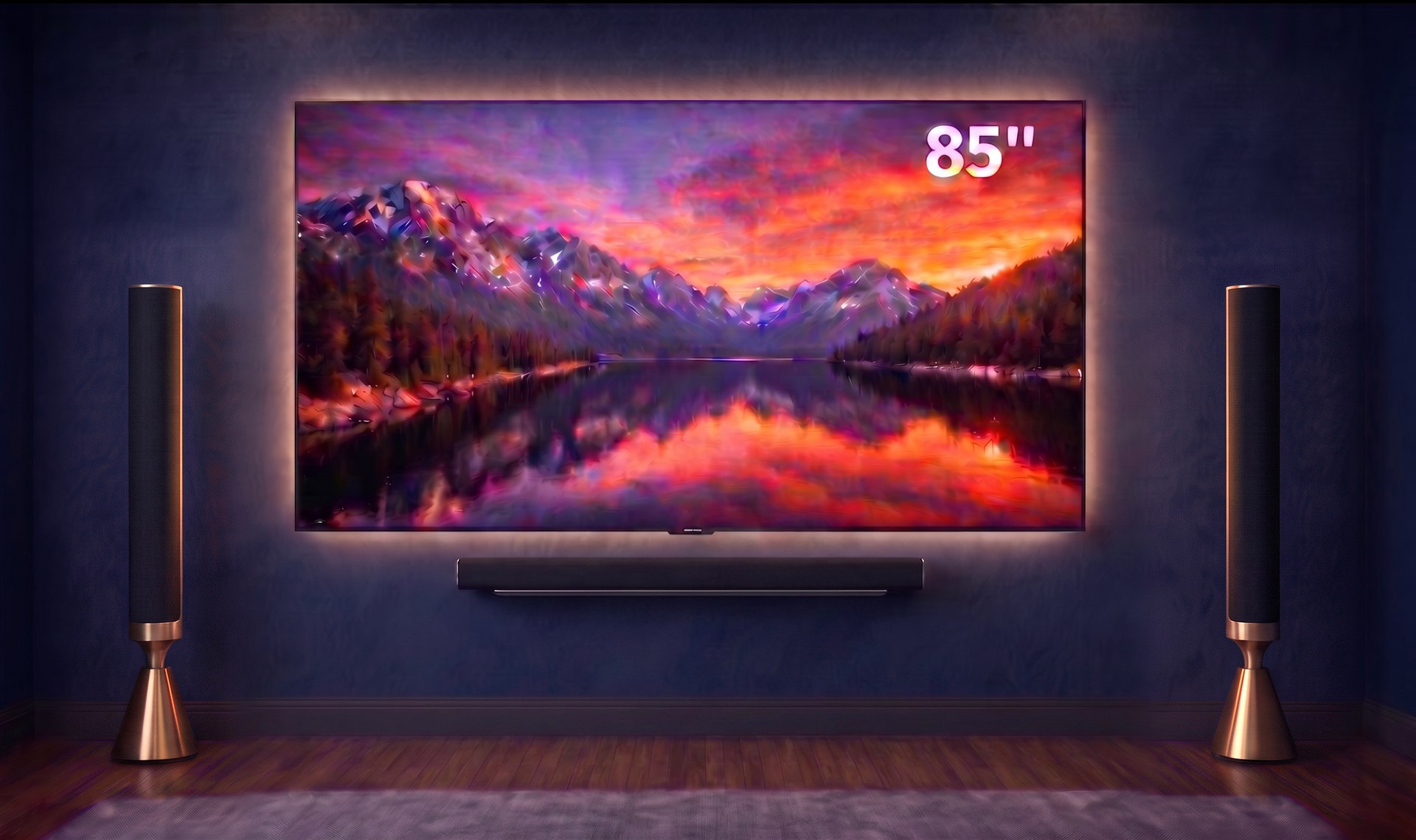
Give a collection the big picture.
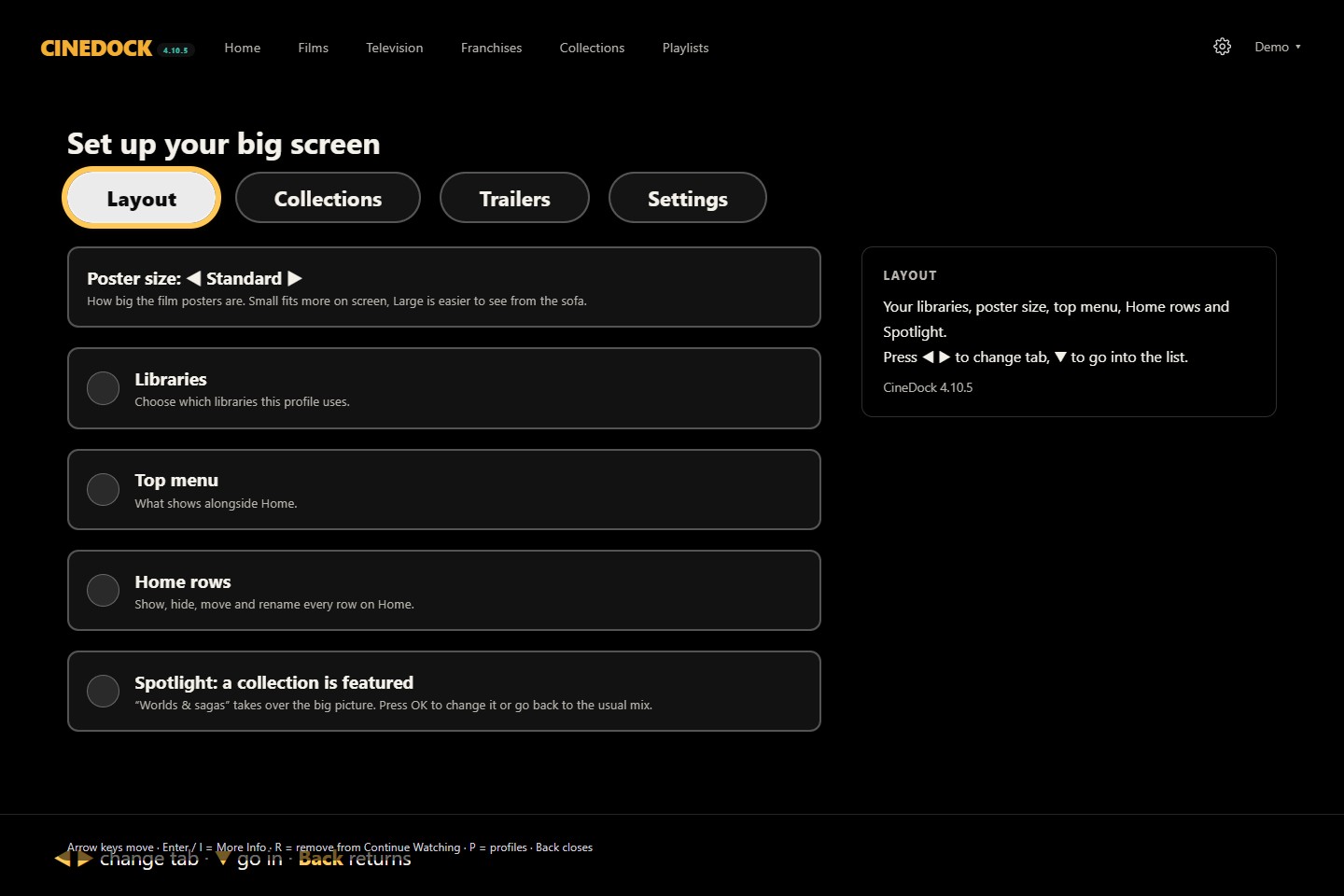
Feature one of your collections in Spotlight, then return to the usual mix whenever you like.
* Real app recording with fictional demo films. Your libraries and artwork will differ.
Your personal cinema, perfectly layered.
Plex
Emby
Jellyfin
Desktop betaWindows x64 · Intel & Apple Silicon Mac · does not self-update — check back here
Two ways to make it yours
Your media server, your profiles, your films and series. Bring them together on the television, in a browser or on your desktop.
Explore KinostrataZidoo Home TheaterYour Zidoo library and the box’s own player. Build your home cinema around them, with no media server to run.
Explore ZinedockReady to connect? Plex setup · Emby setup · Jellyfin setup
Collections with depth
Franchises bring a film series together. Nested collections let you build something bigger: a world that holds other collections, including your server’s franchises. Open a collection, then keep exploring.
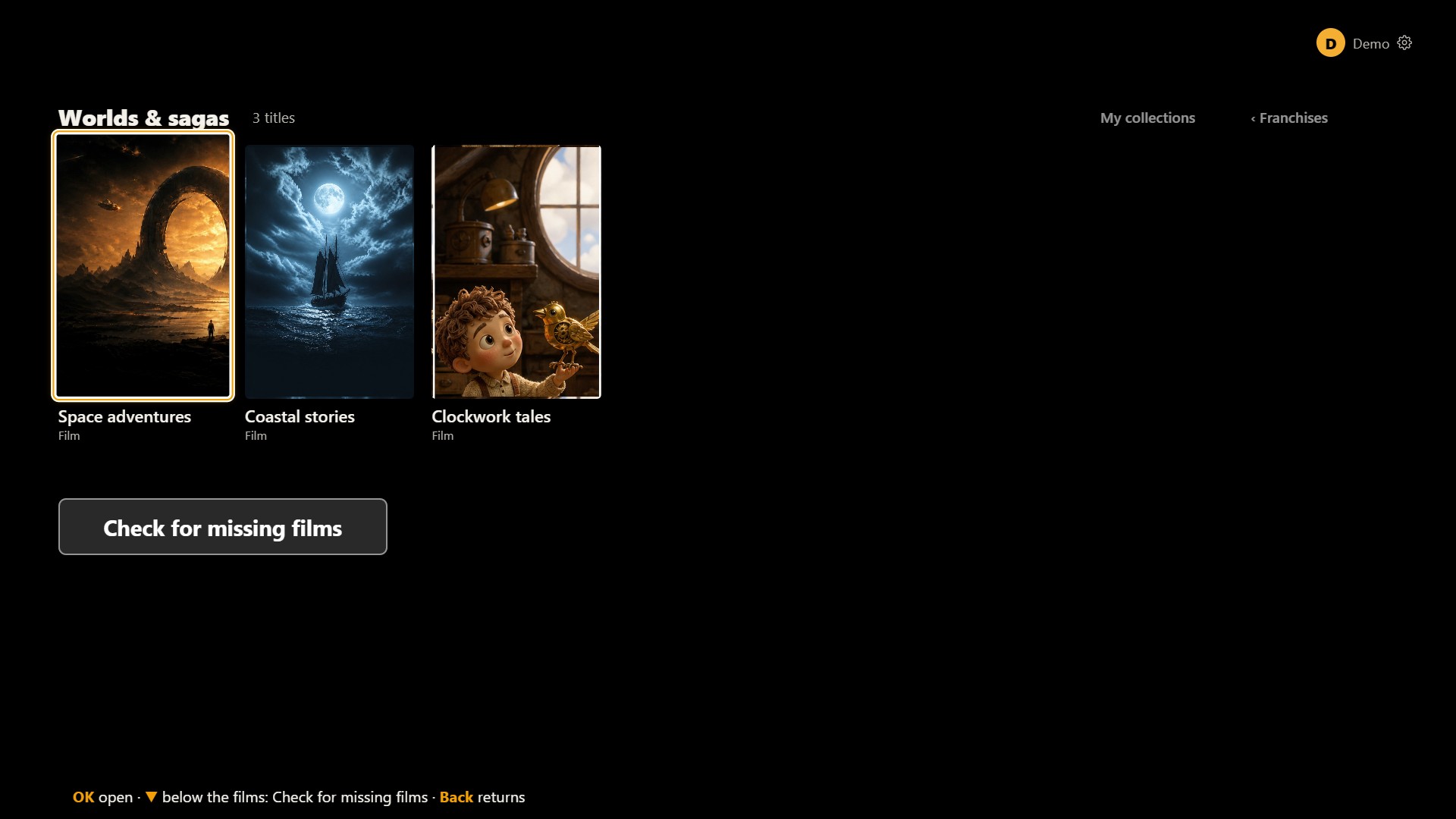
Choose a step above to explore. Every screen comes from the real app; all stories, artwork and people in these examples are invented.
A collection for every idea
Hand-pick films and whole TV series. Start with Suggested collections matched to what you own. Or make a smart collection from genres, people, years and ratings, with picture and HDR filters for films.
Preview the matches before saving. Put it on Home, or nest it inside another collection.
Explore collections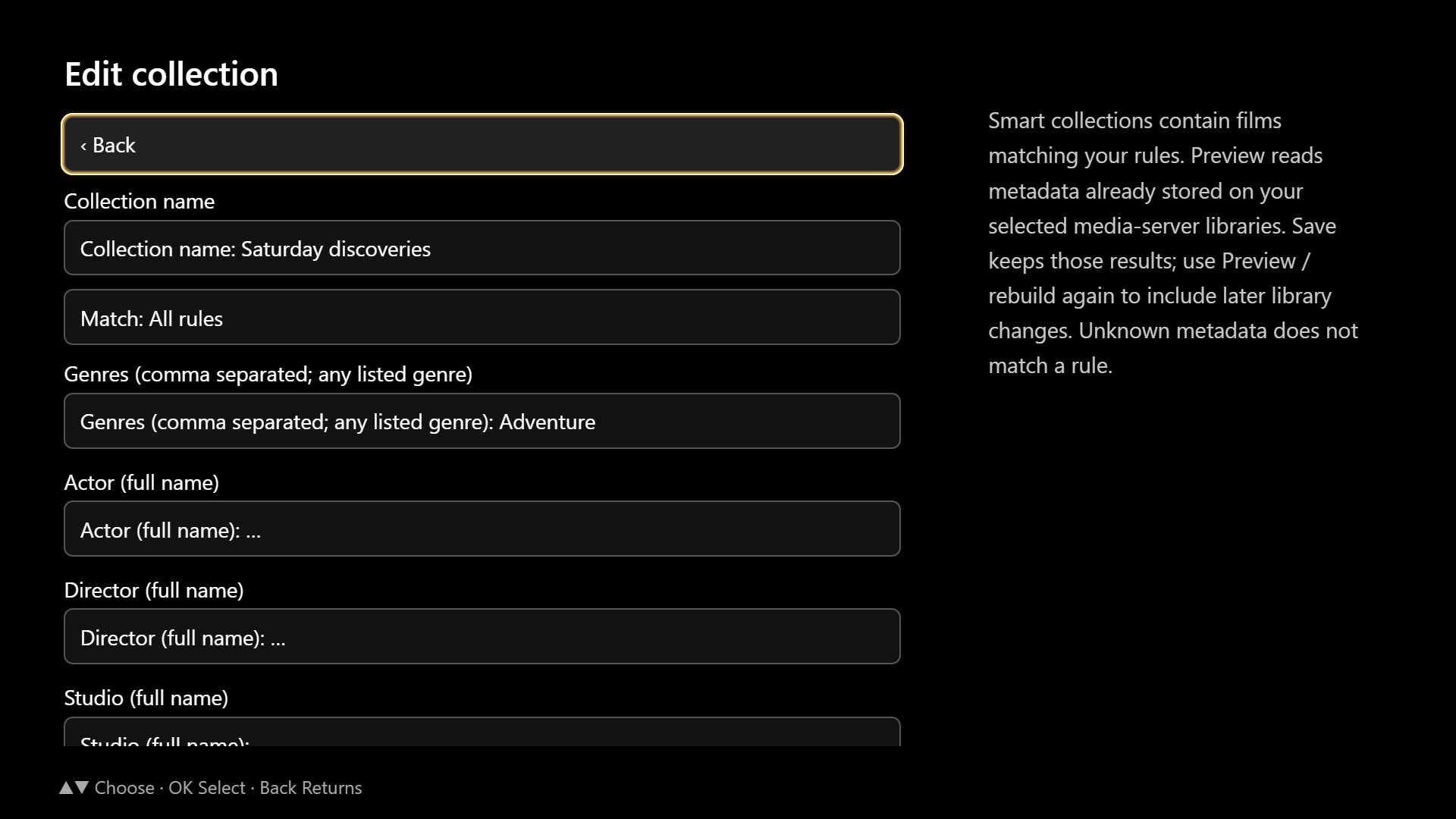
The next chapter
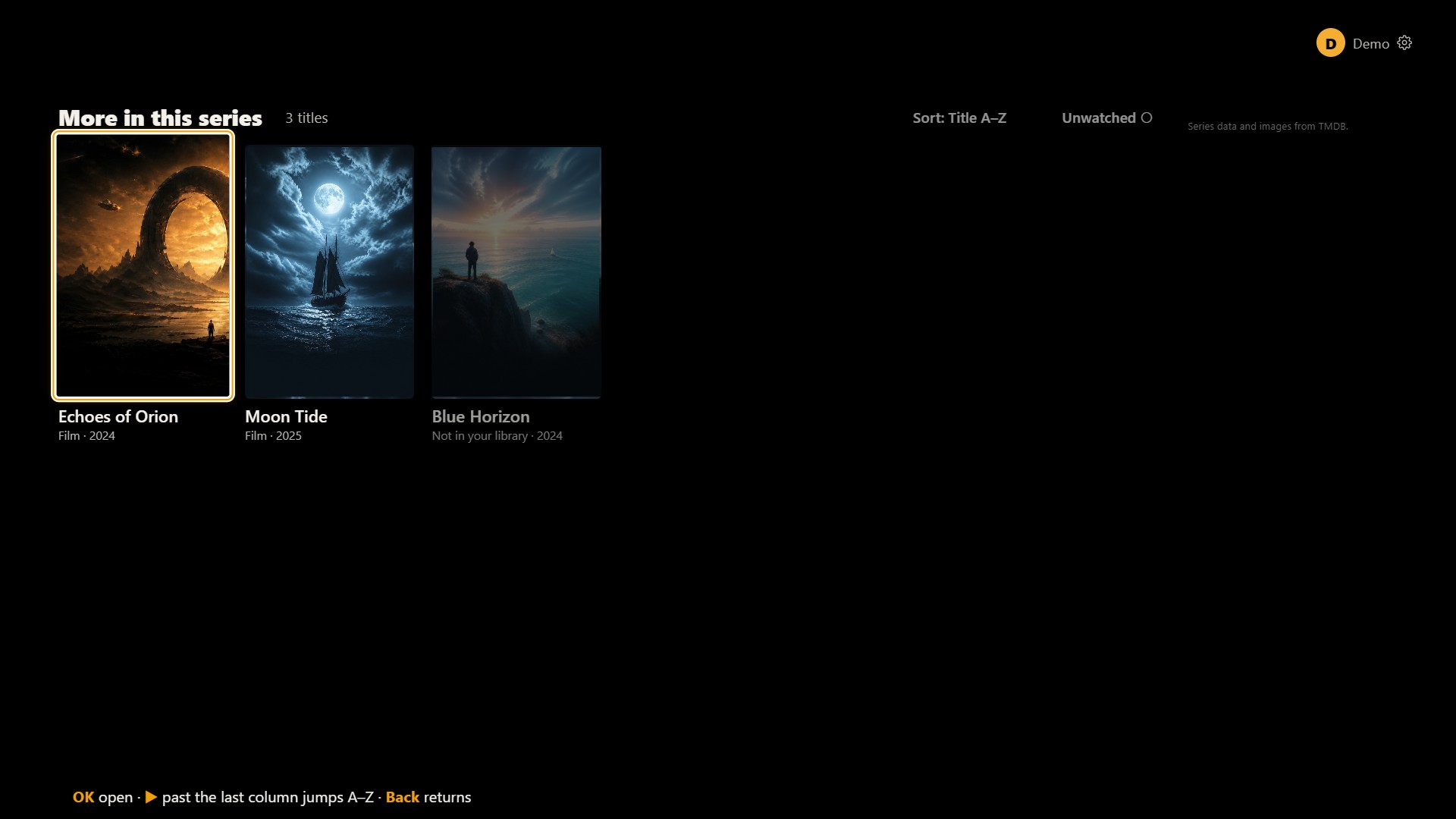
More in this series opens the film’s series in release order. On a franchise, Check for missing films shows the gaps as well as the films already in your library.
Owned films open normally; missing ones are clearly marked. These online series checks need your own TMDB key in Settings.
Make Home yours
Choose what appears, move it into place and feature a favourite collection in Spotlight. Seasonal shelves bring timely picks from your library into the mix.
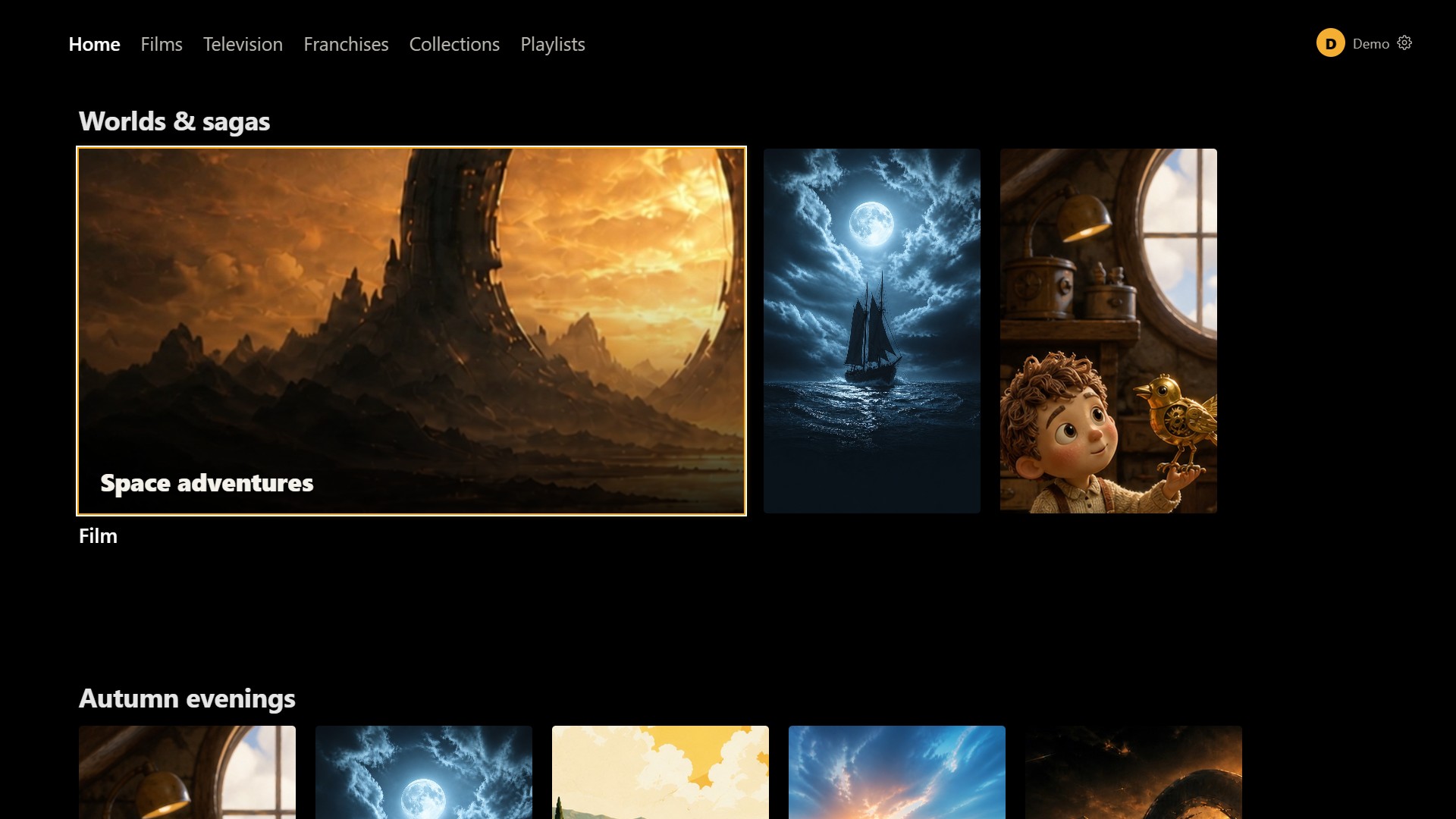
Feature one of your collections in Spotlight, then return to the usual mix whenever you like.
Add MDBList lists and charts as shelves. Kinostrata matches list entries to the films and shows you own. Connect MDBList in Settings.
Connect Seerr to search for films and shows, see whether they’re available or already requested, and send a request from Kinostrata.
More ways to watch
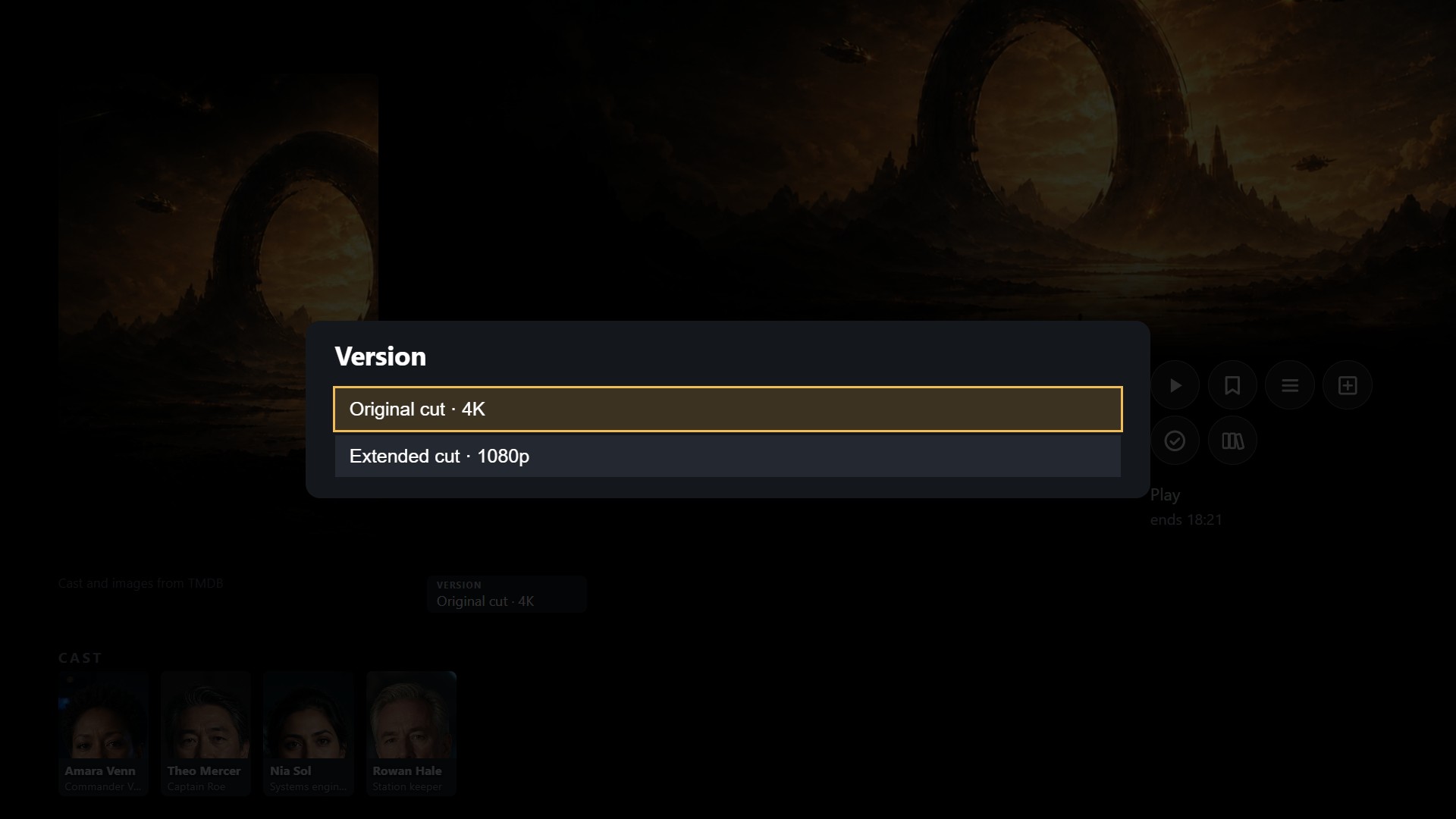
The version picker keeps multiple cuts or picture qualities together. Pick the copy you want; its media details and resume point follow that choice.
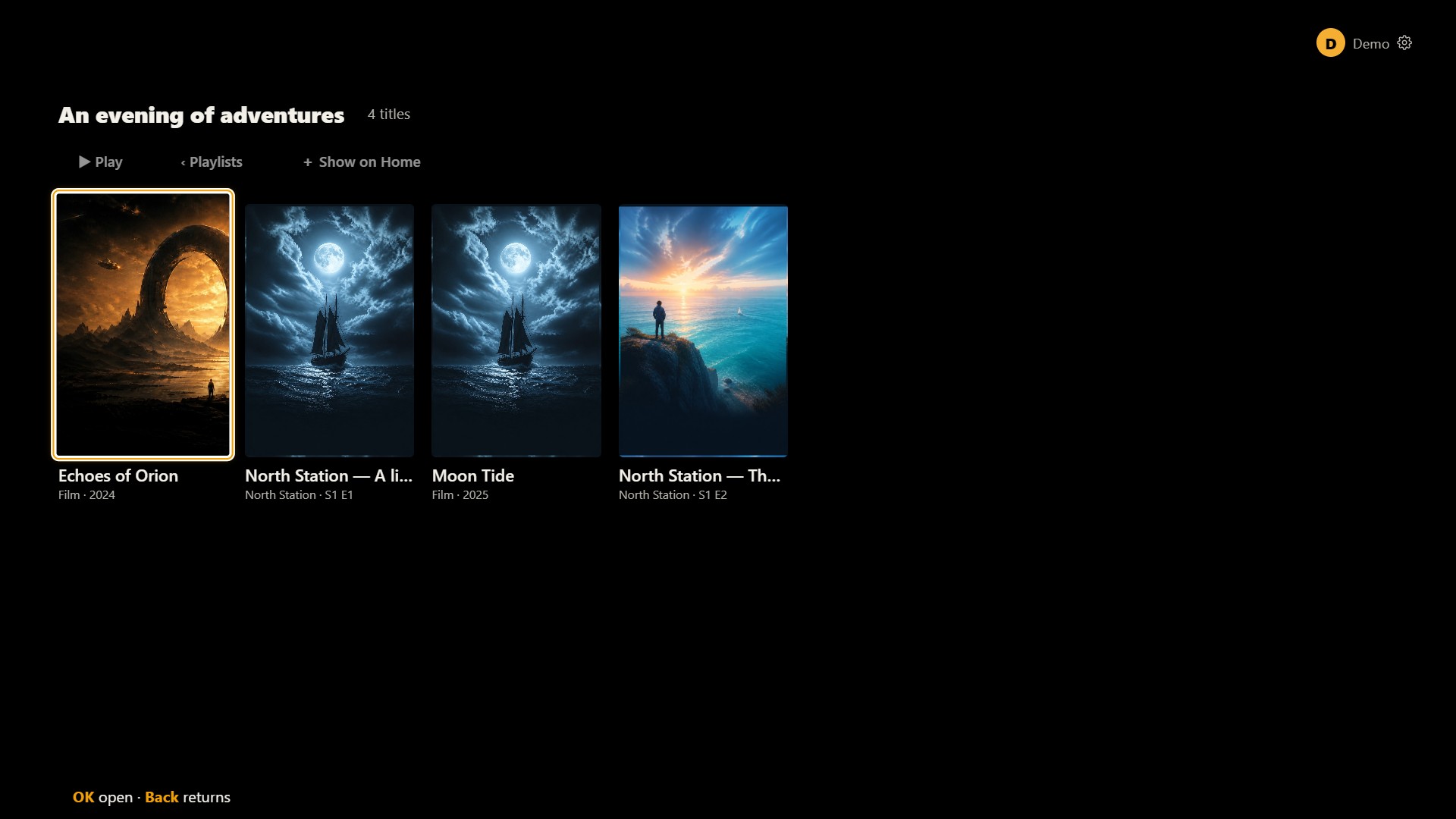
Build an evening from both. Arrange a mixed film-and-episode playlist, play it in your saved order, and make it a Home row.
Follow a familiar face
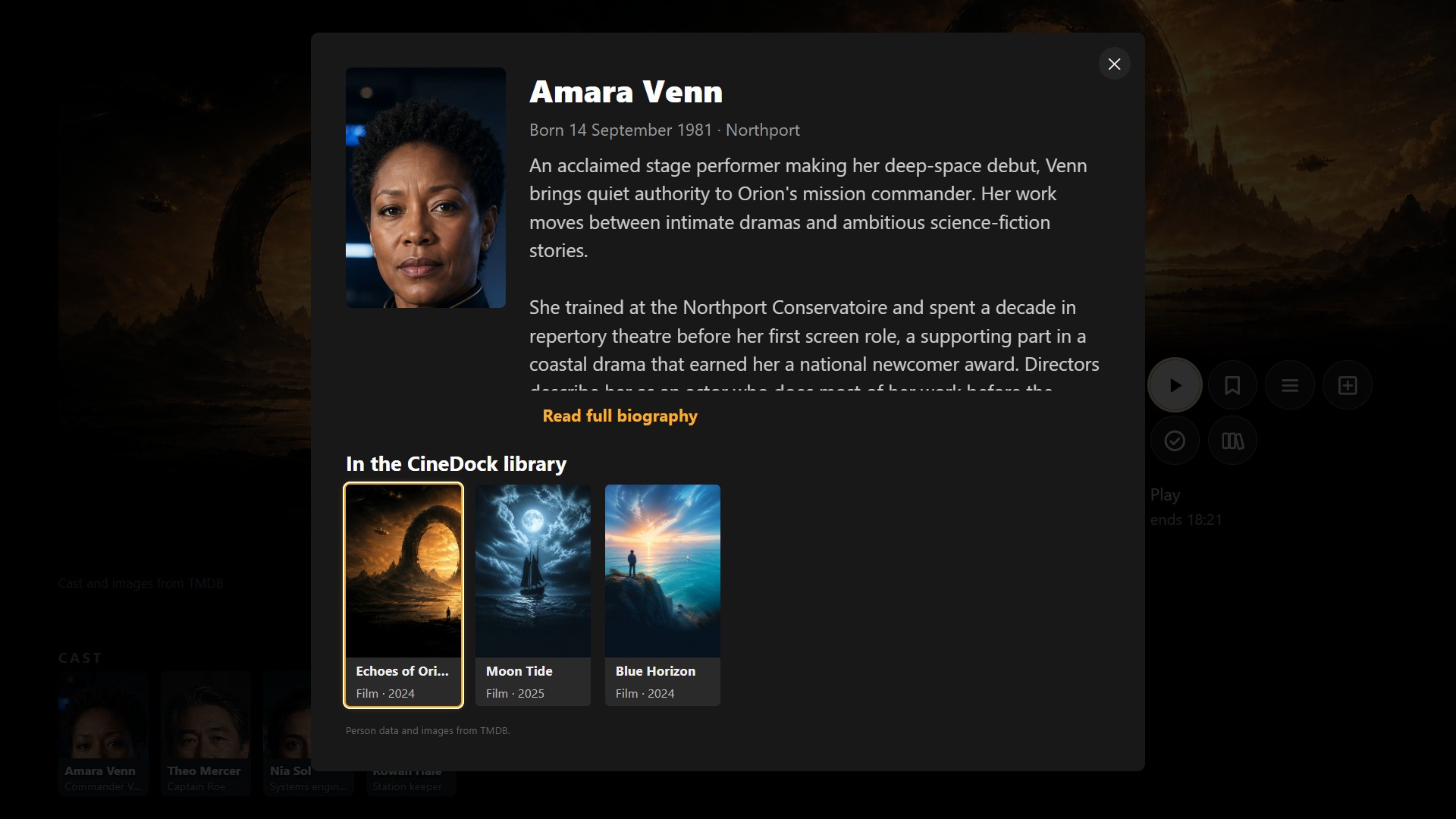
Open a cast member’s biography and find their other films and shows already in your library. A familiar face becomes another way to find tonight’s film.
Your choice
Set up your collection either way. The choice is yours.
Build collections, put them in the order you want and choose your layout with the remote on your TV. With a hosted Kinostrata installation or Zinedock, you can also use a laptop, computer or phone. Your choices are there when you switch on. See how it works
Made for everyone at home
Choose who’s watching. Their Watchlist, watched status, Continue Watching row and resume points stay with them.
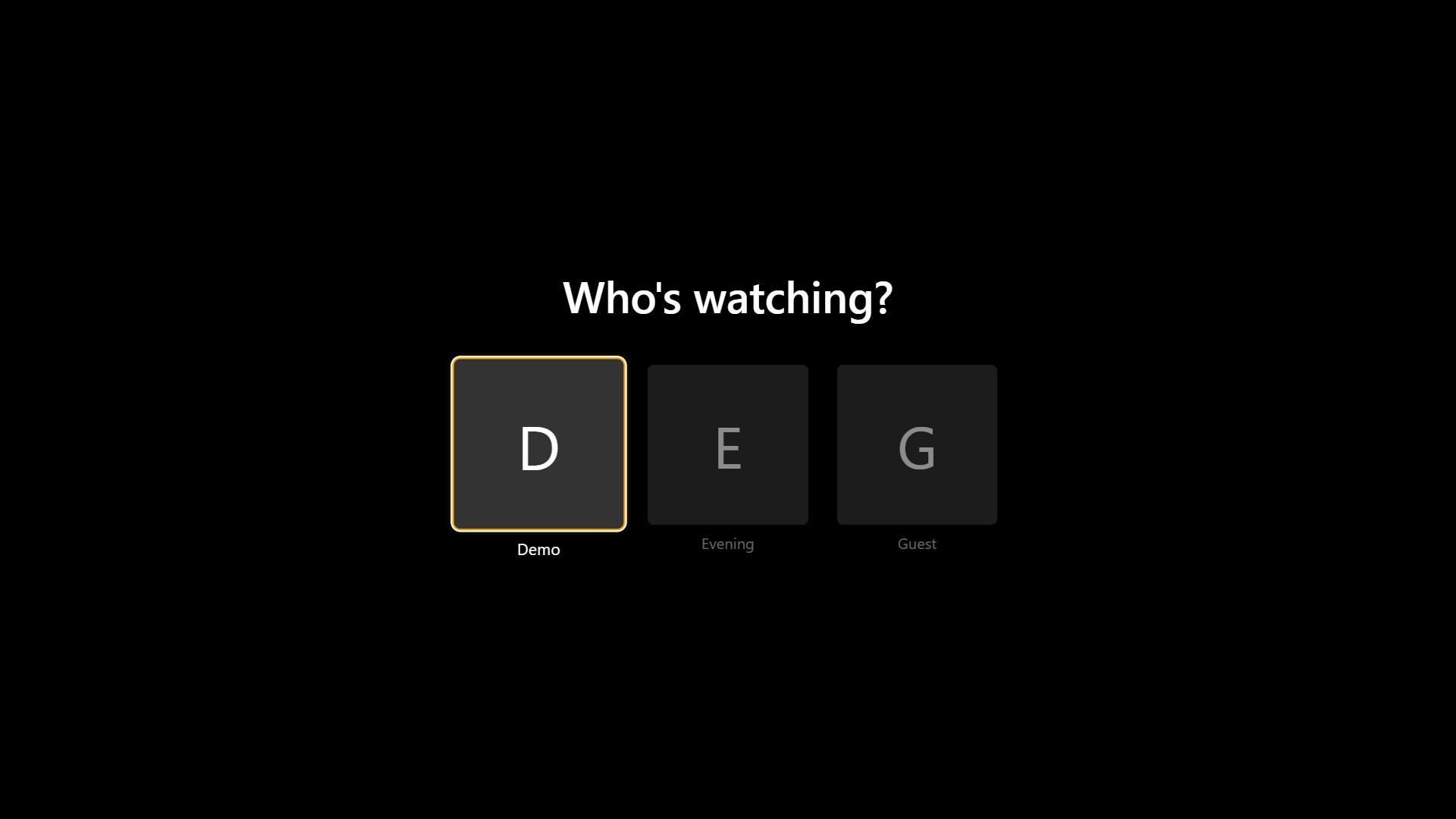
Example profiles shown. Kinostrata uses the profiles from your media server.
The better seat in the house
Kinostrata gives your Plex, Emby or Jellyfin library a remote-first home screen built around your own collection. Your server keeps handling the media, users and playback while Kinostrata helps you find something worth watching.
Browse shelves, open details and control playback from the sofa with a D-pad remote.
Continue Watching, watched titles and resume points follow the profile you choose.
Read about the cast, then see which of their other films and shows you already have in your library.
Choose subtitles and audio tracks, jump between chapters, and watch the trailers and extras your server provides.
Connect Plex, Emby or Jellyfin and browse the libraries and collections available to the chosen profile.
Use Kinostrata in a browser, through the Windows or Mac beta, or on Amazon Fire TV or NVIDIA Shield TV.
Couch-ready
On Amazon Fire TV and NVIDIA Shield TV, Kinostrata opens full-screen, with clear focus as you move from the home screen to the player controls.
Remote viewing on Fire TV or Shield: step-by-step guide → Use the same Kinostrata app at home and away.
Tested on Amazon Fire TV, NVIDIA Shield TV and the Zidoo Z9X 8K.
Choose your version
Install Kinostrata on Windows or a Mac, download the app for Fire & Shield TV, or run the container for browsers around your home.
Read the beta release notesStandalone for Zidoo
Your Zidoo library.
No media server required.
Bring your films, TV series and collections together in a cinema-style library. Zinedock reads your existing Home Theater library and plays through Zidoo's own player.
Smart film collections, local trailers and your own home screen — all on your Zidoo.
There are two versions, one for each kind of Zidoo:
The original Z9X → Zinedock Z9X
Z9X 8K → Zinedock
Use the Windows or Mac beta, install the container for your home browsers and TVs, or connect the standard Fire TV / Shield app directly to your media server.
Install the standard Kinostrata app. Use your home Kinostrata address, or choose Away from home for Plex, Emby or Jellyfin.
Windows desktop
Runs Kinostrata on your Windows PC, opens it in your browser and stays available from the system tray.
Windows will warn about this download — here's why, and what to click.
Download for Windows SHA-256 checksumMac desktop
Runs Kinostrata on your Mac and stays available from the menu bar. The Intel build is tested on macOS Monterey 12.7.6; the Apple Silicon build has been confirmed working by an early user.
macOS will warn about this download — Control-click, then Open.
Download for Intel Mac SHA-256 checksum (Intel)Download for Apple Silicon SHA-256 checksum (Apple Silicon)Amazon Fire TV · Shield TV · Zidoo
Fire TV and Shield use one standard signed APK: connect to your home Kinostrata container, or directly to Plex, Emby or Jellyfin using the server's own remote access. The standard APK requires Android 7 or later; Vega OS is not supported. Zidoo keeps its dedicated pair: install Playback Helper first, then Kinostrata Zidoo. Container updates reach the interface on their own in hosted mode; direct mode updates with the standard app.
Kinostrata is free, and the certificate that stops those warnings costs a few hundred pounds a year — so there isn't one. On Windows, choose More info then Run anyway. On a Mac, Control-click Kinostrata.app and choose Open. Every download has a SHA-256 checksum beside it, so you can check you got exactly what we published — and please leave your security protections switched on.
Easiest setup
Install Kinostrata from Community Applications, keep the /config appdata mapping, and choose any unused host port.
View Unraid setupTrueNAS Apps
Install Kinostrata from the TrueNAS Apps catalogue (Community train). Keep the default ixVolume config storage and the WebUI port, then open the Web Portal.
Open TrueNAS catalogueContainer registry
Use the Kinostrata container image from GitHub Container Registry on AMD64 or ARM64 systems.
ghcr.io/cinedock/cinedock:latestOpen GHCR package Docker
Prefer Docker Hub? The same Kinostrata image is available there.
getcinedock/cinedock:latestOpen Docker Hub Your media stays with your server.
Kinostrata does not include or download films and TV shows, and it does not scan or copy your files. It connects to the Plex, Emby or Jellyfin server you already use. That server continues to manage your media, users, permissions, transcoding and viewing history.
Keep your hosted Kinostrata interface on your home network. For viewing away from home on Fire TV or Shield, use the same app's direct server connection and your server's remote-access permissions. Never expose the Kinostrata port directly to the internet.
Good to know
No. Kinostrata lets you browse and play the films and TV shows already on your Plex, Emby or Jellyfin server.
No. The Windows and Mac betas run Kinostrata locally and connect to your existing media server.
Because the download is not code-signed, and it is not going to be: Kinostrata is free, and the certificate that removes those warnings costs a few hundred pounds a year. Windows shows SmartScreen — choose More info, then Run anyway. macOS calls the developer unidentified — Control-click Kinostrata.app, then Open. Both downloads have a SHA-256 checksum so you can confirm the file is exactly what we published. Never switch your security protections off.
Kinostrata has been tested on Amazon Fire TV, NVIDIA Shield TV and the Zidoo Z9X 8K. Fire TV and Shield use the standard Kinostrata TV APK. Zidoo uses its separate two-app release: install Kinostrata Playback Helper first, then Kinostrata Zidoo. Playback uses the box's own player, so HDR, Dolby Vision and lossless audio behave as they do for local files. Other Zidoo models with the same player are expected to work but are untested.
Tonight's feature presentation
Free to use and self-hosted, with apps for Windows, Mac, Amazon Fire TV, NVIDIA Shield and Zidoo.